
Solo Cat : CatPOP music game
FunGo StudioMusic
4.744.00 Reviews
- Version
- 1.8.5
- Installs
- 1.00M
- Age Rating
- Everyone
Screenshots
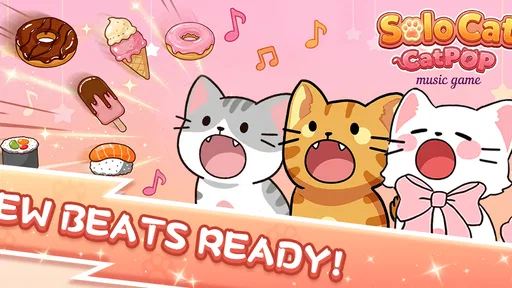
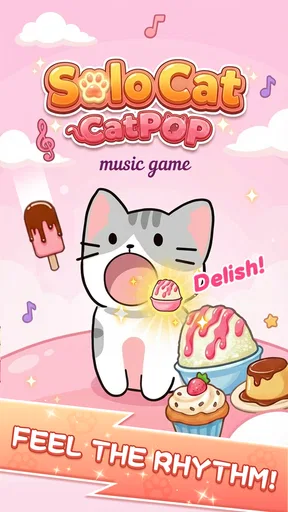
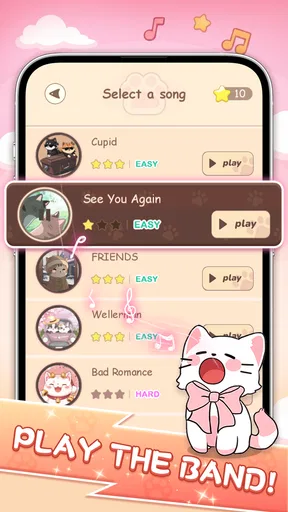
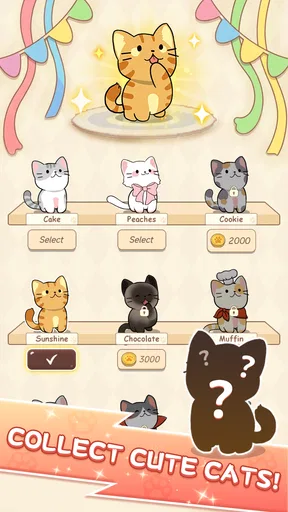
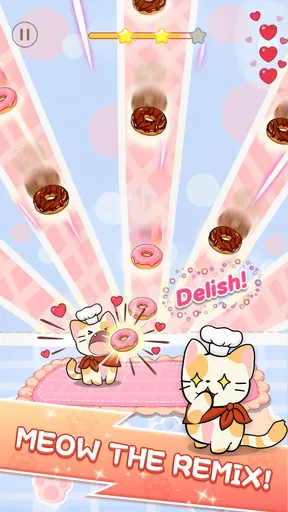
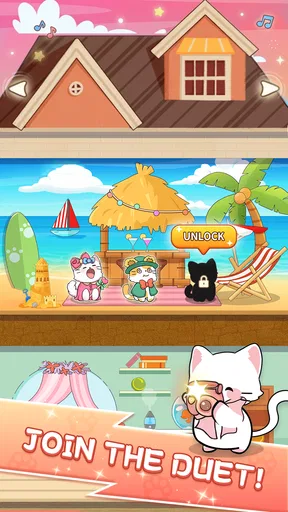
Our Review of Solo Cat : CatPOP music game
 Analysis by Appyee
I picked up Solo Cat expecting a small, easy music game, and that is exactly where it works best. It puts a cute cat theme around simple rhythm play, so the appeal is immediate rather than complicated. I do not need a long session or a serious competitive mindset to enjoy it. A few minutes with a song can feel like a pleasant break, especially when I want something more active than scrolling but less demanding than a full rhythm challenge.
That simplicity also makes it interesting on a shared phone or tablet. Someone can hand the device to a child, a friend can try a song, and another person can return to it later without needing to understand a large collection of systems first. The game is free to download, and its Everyone age rating makes it an approachable choice for a broad household. Still, I would not confuse an accessible presentation with a perfect fit for every player. People who want deep song charts, precise competitive scoring, or a large social layer will probably outgrow it.
How Solo Cat fits into everyday shared play
The strongest use case I found is the short shared session. Imagine waiting for dinner, sitting together during a quiet afternoon, or passing a device around while one person chooses the next activity. The cat presentation gives the game an inviting first impression, while the music keeps it from feeling like a passive cartoon app. A younger player can enjoy the characters and sounds, while an older player can focus more on timing and trying to improve a run.
That makes it different from many music apps that assume one dedicated player with headphones and a long-term playlist. Solo Cat feels more suitable for casual participation. I can play alone, but it also works as something another person can watch and comment on. A family member does not need to know the whole game before joining in. The useful household advantage is not a special family feature; it is the low explanation cost.
I would set expectations before handing it over, though. The word “solo” matters. This is not something I would choose when I want built-in cooperative play, a shared band, or a structured multiplayer match. The social part comes from taking turns with the device or watching someone play, not from assuming that several people can control the same session together. That distinction prevents disappointment, especially if children are expecting a party game.
For a shared device, I also recommend agreeing on a simple turn routine. One person chooses a song or starts a session, another plays, and then the device goes back to the group rather than staying with the strongest player. Because the game is easy to understand, this arrangement feels natural. It also stops a more experienced player from quietly turning a relaxed activity into a personal high-score marathon.
What the first session feels like
My first impression was that the game communicates its mood quickly. The cat theme softens the pressure that rhythm games can create, and the pop-music direction gives the short interactions a recognizable pulse. I did not feel as if I needed to study a manual before touching the screen. That is important on a shared device, where a complicated opening can make everyone else lose interest before the first song begins.
The trade-off is that the accessible start does not promise the same depth as a specialist rhythm title. A dedicated rhythm game may offer more intricate patterns, longer progression, or a stronger sense of mastery. Solo Cat is better understood as a light music game with rhythm elements than as a replacement for a serious practice tool. I enjoyed that boundary because it matches the way I usually use it: brief, cheerful, and easy to put down.
One practical tip is to try it first in a quiet room rather than judging it during a noisy gathering. Rhythm play depends on noticing the music and reacting to the screen. When several people are talking, the cute presentation remains visible, but the timing experience can become less satisfying. For a child using a tablet in a common room, lowering the surrounding noise may help more than changing anything inside the game.
Setup boundaries on a household device
Before installing any game on a shared phone, I think about boundaries rather than assuming that a friendly design solves everything. Solo Cat is free to download, which removes the initial purchase decision, but it includes in-app purchases priced from $0.99 to $9.99 per item. That is the detail I would discuss with anyone else using the device, particularly a child.
I would make the purchase rule clear before the first song: playing is fine, but buying anything requires asking first. If the device belongs to a family, the person who manages its app-store payment settings should check those settings separately and avoid leaving a child to guess what a button means. I am not treating this as a special feature of the game; it is simply sensible housekeeping whenever an app offers optional purchases.
The same principle applies to account boundaries. I would not let several people assume that one session represents everyone’s progress or preferences. If the game uses the device’s local state, one person’s activity may affect what the next person sees; if it connects to an account, the account owner should be the person who understands that connection. Since I cannot recommend a made-up profile system, my advice is straightforward: use one agreed household player or keep the game assigned to one person instead of pretending that a shared screen automatically creates separate spaces.
This matters most when an adult and a child use the same device. A child may see a progress change as a personal achievement, while an adult may view the same device as communal. Agreeing on that difference avoids small arguments later. I prefer to explain who is allowed to start a session, whether scores are shared, and when the device must be returned. Those rules are more useful than expecting the game itself to manage family coordination.
The technical baseline is fairly broad for an older Android device: the game requires Android 7.0 or later. That does not guarantee identical performance on every handset, so I would still test it on the actual shared device before promising it as a group activity. On an older phone, background apps, battery condition, and touch response can affect the experience even when the operating system meets the requirement.
Coordinating turns without making the game feel like homework
Rhythm games can create a surprisingly strong difference between the person playing and everyone waiting. In my experience, Solo Cat works best when the waiting time stays short. I would use a timer only if the group has trouble sharing, and even then I would keep the rule informal. One completed attempt each is usually enough for a small household session, followed by a quick choice about who goes next.
Another useful approach is to let different players have different goals. One person can try to follow the music accurately, another can explore the cat-themed presentation, and a younger child can simply enjoy making progress through a song. This avoids comparing everyone against the same standard. The game becomes a shared activity rather than a test that rewards only the person with the quickest reactions.
I also would not let a high score decide who owns the device. That sounds obvious, but music games can encourage repeated attempts, especially when someone is close to a better result. On a shared tablet, agreeing on a stopping point before playing is kinder to everyone else. It keeps the experience from turning into “one more try” for half an hour while the rest of the household waits.
For adults introducing it to children, demonstration works better than correction. I would play one round first, show how I respond to the rhythm, and then let the child experiment. Constantly pointing out missed inputs can make a gentle game feel stressful. If the child asks for help, I would focus on listening to the beat and watching the next cue rather than trying to optimize every move.
Age, trust, and the right level of supervision
The Everyone rating supports the game’s broad presentation, and I can see why it would appeal to children as well as adults who like cute music experiences. Even so, an age label is not a substitute for a household conversation. The most important question is not only whether the content feels suitable, but whether the child understands the difference between playing for free and choosing an optional purchase.
I would also explain that a free game can still contain paid items. That lesson is useful beyond this particular title. A child who knows that an attractive button may lead to a purchase is less likely to tap through a screen without asking. Adults do not need to make the conversation dramatic; a calm rule about permission is enough.
Trust also includes how a child handles the shared device. If the phone belongs to a parent, I would set a clear time and place for play. If it is a family tablet, I would agree on volume and charging expectations. These details sound ordinary, but they determine whether a casual game remains welcome in the home. Solo Cat’s friendly style makes those conversations easier, yet it does not remove the need for them.
For an older child or adult, the question changes from safety to staying power. Someone who enjoys pop music, cute characters, and uncomplicated rhythm interaction may return often. Someone who wants demanding patterns, detailed performance analysis, or a large competitive community should look at a more specialized rhythm game instead. I would especially steer experienced players elsewhere if they are searching for a long-term skill ladder rather than a relaxing diversion.
How it compares with familiar music-game alternatives
Compared with a rhythm game built around complex charts, Solo Cat is easier to enter and less intimidating. That is its clearest advantage for casual households. I can give it to someone who does not normally play music games without first explaining a dense control scheme. The cost of that friendliness is reduced depth: players who want to practice difficult timing patterns may find the experience too light.
Compared with a general music-listening app, it offers participation instead of simply playing songs in the background. I have to pay attention and react, so it can make a short break feel more engaging. It is not a replacement for a playlist, because listening apps are better when I want uninterrupted music, discovery tools, or hands-free use. Solo Cat makes more sense when I want the music to be part of the activity.
Compared with a competitive mobile game, it creates less pressure around rankings and performance. That helps when several ages are using the same device. On the other hand, a competitive alternative may provide stronger reasons to return for players who enjoy rivalry, events, or a visible long-term climb. I would choose Solo Cat for mood and accessibility, not for an intense achievement chase.
There is also a difference between this game and a conventional children’s app. It is not merely something to watch or tap randomly; the music gives the interaction a sense of timing. That can be a nice middle ground for a child who is ready for a little more active play but is not interested in a complicated game. Adults should still observe the first session and decide whether the pace and purchase screens suit the child using the device.
Where the current version succeeds and where it may wear thin
The current version is 1.8.5, and the game has been available since Jul 12, 2024. I mention that because it helps place the experience: this is a relatively modern casual title rather than an old rhythm game being maintained as a legacy curiosity. FunGo Studio has kept the presentation focused on the central combination of cats, pop music, and simple interaction.
Its broad reach is reflected in more than one million installs, while a 4.7 average from around 3.7 thousand ratings suggests that many players respond well to the formula. I would treat those figures as signs of a healthy audience, not proof that every player will enjoy it. The people most likely to be satisfied are those who value quick sessions and a welcoming theme. The people most likely to leave early are players who need substantial musical depth or a more elaborate progression structure.
The main friction for me is not the entry point but the ceiling. A simple rhythm loop can be refreshing, yet it may start to feel repetitive if I play for long stretches without changing my expectations. My solution is to use it as a short break instead of a primary game. That keeps the light design feeling intentional rather than incomplete.
The purchase range is another reason I would keep the game within a clear household routine. Optional items can be harmless when everyone understands the rule, but they can complicate a shared device when different people assume the payment belongs to someone else. I would never hand the device over with an open-ended “see what you find” instruction. A little coordination preserves the free-to-start appeal without creating avoidable surprises.
With 44 reviews alongside its larger rating count, I would place more weight on actually trying the opening experience than on expecting a detailed public consensus. The game’s appeal is easy to understand from a short session, and so are its limitations. If the cat theme and pop rhythm feel pleasant after a few attempts, it is probably a good match. If the basic loop already feels too simple, extra time is unlikely to transform it into the deeper music game you wanted.
My household verdict
I recommend Solo Cat for households looking for a friendly, free music game that can be passed around without a long tutorial. It is especially suitable for short shared sessions, younger players who like cute themes, and adults who want a low-pressure rhythm break. The Everyone rating and Android 7.0 requirement make it broadly approachable, while the free entry point makes testing the fit easy.
I would introduce it with three simple agreements: who owns the progress, how turns work, and whether purchases are allowed. Those boundaries matter more than any imagined family mode. They keep the game from becoming a source of arguments on a shared device and help children understand that optional items still require permission.
I would skip it if my priority were advanced rhythm practice, serious competition, or an extensive social experience. A specialist alternative will be better for those needs. But if I wanted something cheerful to play for a few minutes while another person watched, or an easy game to place on a family tablet, this would be one of the more comfortable choices in its category.
My final view is positive but deliberately modest: this is not trying to be the deepest music game on mobile, and I do not think it needs to be. FunGo Studio has made a focused experience whose strength is the combination of approachable timing, pop energy, and cat-themed charm. Use it as a shared, short-session activity rather than an all-day competitive game, and its simplicity becomes its best feature.
Verdict
Strengths of Solo Cat : CatPOP music game
- Simple tap-based gameplay is easy to learn and play casually.
- Bright cat-themed visuals make the game appealing to younger players.
- Short rounds work well for quick breaks or on-the-go sessions.
- Music timing adds an engaging challenge beyond ordinary puzzle games.
- Progressive difficulty can keep rhythm-game fans interested over time.
Limitations of Solo Cat : CatPOP music game
- Some songs or features may require in-app purchases to unlock.
- Repetitive tapping can become monotonous during longer play sessions.
- Timing-based levels may feel frustrating on smaller phone screens.
- Frequent ads can interrupt the flow for non-paying players.
- The game may use noticeable battery and mobile data during extended play.
Similar Picks in This Category
View All
Tiles Hop Music & Ball Game
AMANOTES PTE. LTD.4.3

Magic Tiles 3™ - Piano Game
AMANOTES PTE. LTD.4.6

Real Piano
Bilkon3.7

Piano Game: Classic Music Song
Dream Tiles Piano Game Studio4.0

Smash Colors: Music Ball Rush
BADSNOWBALL HONGKONG LIMITED4.2

Piano Music Go-EDM Piano Games
Joy Journey Music Games4.5
Frequently Asked Questions
What is Solo Cat: CatPOP music game?
Solo Cat: CatPOP music game is a casual rhythm game centered on an adorable cat character and pop-inspired music. After trying it, the main appeal is its simple tap-based gameplay: notes or objects appear in time with the song, and you tap along to keep the performance going. It combines colorful visuals, collectible-style progression, and short sessions that are suitable for quick entertainment.
How do you play Solo Cat: CatPOP music game?
Gameplay is designed to be easy to understand, even for people who do not usually play rhythm games. You generally tap the screen in sync with musical cues while trying to maintain accuracy and avoid missing notes. Timing is important because successful actions help build your score and keep the song performance moving. The controls are simple, but faster tracks can become surprisingly challenging.
Is Solo Cat: CatPOP music game free to download and play?
The game can generally be downloaded without an upfront purchase, although the exact availability and pricing may differ between Android and iOS. As with many free mobile games, it may include optional in-app purchases, advertisements, or additional content that can be unlocked. Before downloading, check the store listing for current purchase details, supported devices, and any age or account requirements.
Does Solo Cat: CatPOP music game require an internet connection?
Some parts of Solo Cat: CatPOP music game may work without a constant connection, particularly basic gameplay that has already been installed. However, internet access can be needed for downloading updates, loading advertisements, synchronizing progress, accessing online features, or receiving new content. If you plan to play while traveling, open the game beforehand and confirm which features remain available offline.
Is Solo Cat: CatPOP music game suitable for children and casual players?
The cute cat theme, bright presentation, and straightforward tapping controls make Solo Cat: CatPOP music game approachable for children and casual players. Nevertheless, parents should review the store rating, privacy information, advertisements, and in-app purchase settings before allowing younger users to play. Difficulty can also increase as songs progress, so some levels may require patience and repeated attempts.
Play our best games!


